HPE Networking Instant On
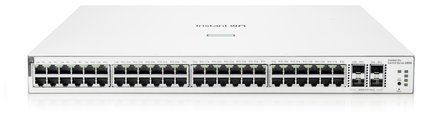
HPE Networking Instant On 1930 48G PoE 4SFP+ 370W Switch JL686B
- 48 x Gigabit
- 48 x PoE+
- 370 W
£654.99 inc VAT



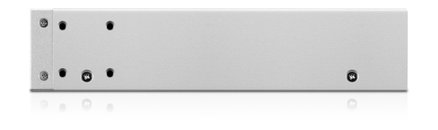
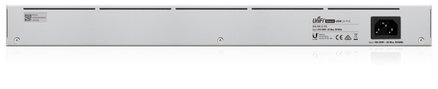
SKU NE-USW-24-POE · MPN USW-24-POE
In stock, ships in 1 working day
24-port Gigabit managed switch with PoE+ on 16 ports and a fanless, near-silent design, configured through the UniFi controller app.
Buying for a hotel or business? Request a bulk quote
| Ports | 24 x Gigabit RJ45 |
|---|---|
| PoE | 16 PoE+ ports |
| SFP ports | 2 |
| Cooling | Fanless |
| Display | 1.3 inch touchscreen |
| Management | UniFi Network Controller and mobile app |
| Packed weight | 3.984 kg |
| Packed dimensions (mm) | 520 x 310 x 120 |
The Ubiquiti UniFi USW-24-POE Gen2 is a 24-port managed switch for offices, schools and hotels that need many connections and power for their devices in one tidy unit. Sixteen of its ports supply PoE+, so you can run access points, IP phones and cameras without a separate adapter for each.
The switch is configured and monitored with the UniFi Network Controller software or the UniFi mobile app. Each port can be set to switching, mirroring or aggregate mode, and the built-in 1.3 inch touchscreen shows status and helps with troubleshooting at the cabinet. Advanced Layer 2 features cover VLAN and traffic management.
The Gen2 airflow design removes the need for a fan, so the switch runs almost silently. That makes it a sensible choice for a reception area, an office or a meeting room where a noisy rack would be a nuisance.
Choose the USW-24-POE if you want 24 Gigabit ports with PoE+ and central management in one unit. For smaller sites or other options, browse our network switches. GGG Technologies can design, install and support the whole network, so contact us if you would like help choosing the right model.
The product data lists 16 PoE+ ports out of 24 Gigabit ports. Check the manufacturer datasheet for the power budget across those ports.
No. The Gen2 airflow design is fanless, so the switch runs almost silently.
Through the UniFi Network Controller software or the UniFi mobile app, which cover most switch features from a graphical interface.