HPE Networking Instant On
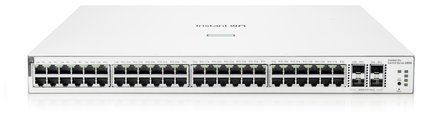
HPE Networking Instant On 1930 48G PoE 4SFP+ 370W Switch JL686B
- 48 x Gigabit
- 48 x PoE+
- 370 W
£654.99 inc VAT
SKU NE-TL-SF1005P · MPN TL-SF1005P
In stock, ships in 1 working day
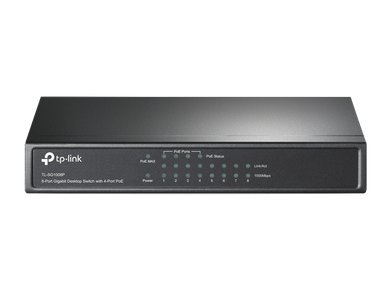
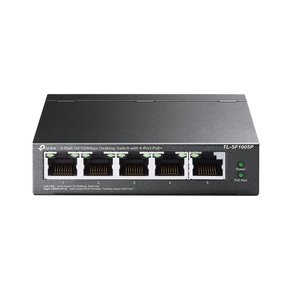
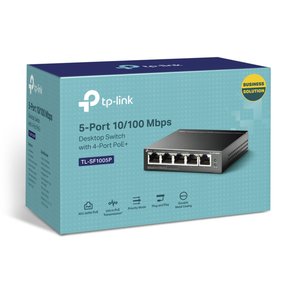
5-port unmanaged desktop switch with 4 PoE ports that power compliant devices, a priority function for overload protection and no setup needed.
Buying for a hotel or business? Request a bulk quote
| RJ45 ports | 5 |
|---|---|
| PoE ports | 4 (ports 1 to 4) |
| PoE standard | 802.3af |
| Management | Unmanaged |
| Port speed | 10/100 Mbps |
| Weight | 0.4 kg |
| Packaged size | 30 x 100 x 100 mm (W x H x D) |
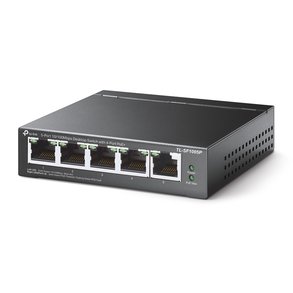
The TP-Link TL-SF1005P is a small unmanaged desktop switch with four PoE ports. It is suited to a home office, a reception desk or a single camera or access point that needs power and data from one unit, with nothing to configure.
Ports 1 to 4 detect compliant powered devices automatically and supply power to them under the 802.3af standard. Port 5 is a standard port for a computer, printer or uplink, so you can keep the powered devices and the rest of the network on one switch.
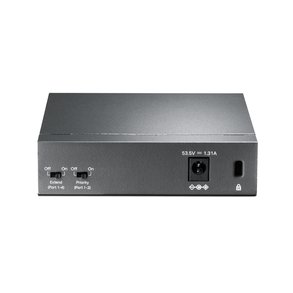
If the total power demand reaches the switch’s limit, a priority function decides which ports keep power. The switch cuts power to the lowest-priority port first, which helps protect the rest of the installation from overload.
The switch needs no configuration or installation. Its desktop design keeps it tidy, and its 10/100 Mbps ports are suitable for everyday office connections.
Choose the TL-SF1005P if you need a simple switch with a few PoE ports and no management features. For managed options or more ports, see our PoE switch range. GGG Technologies can recommend the right switch for your site.
Ports 1 to 4 supply PoE to compliant 802.3af powered devices.
No. The switch is unmanaged and needs no configuration or installation.
The priority function cuts power to the lowest-priority PoE port to protect the rest of the system.