HPE Networking Instant On
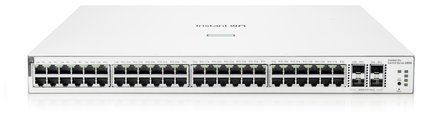
HPE Networking Instant On 1930 48G PoE 4SFP+ 370W Switch JL686B
- 48 x Gigabit
- 48 x PoE+
- 370 W
£654.99 inc VAT
SKU NE-RB750GR3 · MPN RB750GR3
In stock, ships in 1 working day
Compact 5-port Gigabit router with an 880 MHz CPU, 256 MB RAM and a RouterOS Level 4 licence for affordable wired routing, firewall and VPN work.
Buying for a hotel or business? Request a bulk quote
| Ethernet ports | 5 x Gigabit |
|---|---|
| CPU | 880 MHz |
| Memory | 256 MB RAM |
| Operating system | RouterOS, Level 4 licence |
| USB | 1 x full-size USB |
| Weight | 0.208 kg |
| Box size | 130 x 95 x 65 mm |
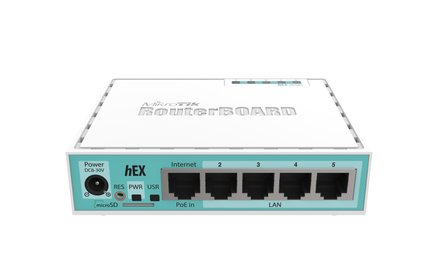
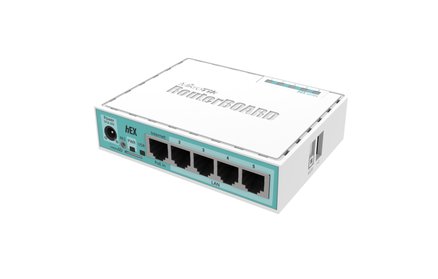
The MikroTik hEX RB750Gr3 is a small, affordable router with five Gigabit Ethernet ports and a full-size USB port. It is built around an 880 MHz processor and 256 MB of RAM, and it comes with a RouterOS Level 4 licence, so it can handle routing, firewall rules and VPN connections for a small office, a shop or a home lab.
RouterOS is the same operating system that runs MikroTik’s RouterBOARD hardware. On this model it covers routing between networks, a stateful firewall, bandwidth management, a hotspot gateway, a backhaul link and a VPN server. With five wired ports you can split a staff network from a guest network using VLANs, or connect a few PCs and a printer directly.
The hEX is a configuration-led device rather than a plug-and-play home router, so it suits someone comfortable with a router interface, or a network installer who will set it up for you. The full-size USB port can take storage or a modem for an additional connection. Its small footprint makes it easy to fit in a comms cupboard or behind a desk.
Choose the hEX RB750Gr3 if you want a low-cost wired router with plenty of configuration options and do not need built-in Wi-Fi. For a combined router and access point, browse our routers range, or ask GGG Technologies to design and support your whole network.
No, the hEX RB750Gr3 is a wired router. If you need wireless, look at the dual-band models in our routers range.
Yes. RouterOS includes VPN server features on this model. Check the RouterOS documentation for the VPN type you need.
It is configured through RouterOS rather than a simple app, so a network installer or someone comfortable with router settings is the best fit. GGG Technologies can set it up for you.