HPE Networking Instant On
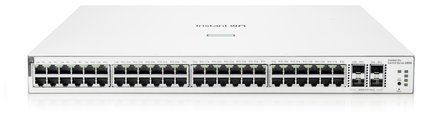
HPE Networking Instant On 1930 48G PoE 4SFP+ 370W Switch JL686B
- 48 x Gigabit
- 48 x PoE+
- 370 W
£654.99 inc VAT
SKU NE-RBD52G-5HacD2HnD-TC · MPN RBD52G-5HacD2HnD-TC
In stock, ships in 1 working day
Dual-band router and access point with five Gigabit ports, PoE on port 5 and a USB-A slot for storage or a 4G modem backup.
Buying for a hotel or business? Request a bulk quote
| Ethernet ports | 5 x Gigabit |
|---|---|
| 2.4 GHz Wi-Fi | WiFi 4 (802.11n), up to 300 Mbps |
| 5 GHz Wi-Fi | WiFi 5 (802.11ac), up to 867 Mbps |
| PoE | Port 5 |
| USB | 1 x USB-A |
| CPU | Quad-core |
| Weight | 0.256 kg |
| Box size | 190 x 125 x 45 mm |
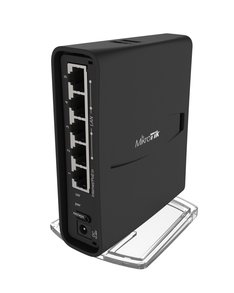
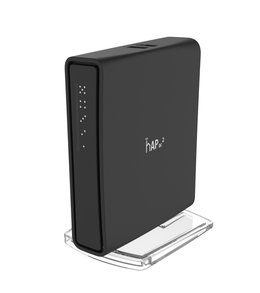
The MikroTik hAP AC2 is a compact tower that combines a router with a dual-band wireless access point. It suits home offices, small start-ups and places like cafes and shops where you need wired and wireless connections from one box, with a quad-core processor to keep routing and encryption responsive.
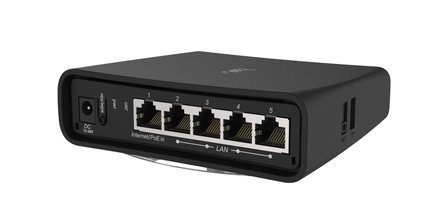
The 2.4 GHz radio runs WiFi 4 at up to 300 Mbps, and the 5 GHz radio runs WiFi 5 at up to 867 Mbps for compatible devices. Five Gigabit Ethernet ports give dependable wired connections for a till, a printer or a desktop PC. Port 5 can also supply power to a connected device, which cuts the number of adapters you need.
The USB-A slot can hold extra storage, or a 4G modem that provides failover if your main broadband line drops. IPsec hardware acceleration helps with encrypted tunnels, so a VPN link does not slow the router down as much.
The hAP AC2 is small enough for a shelf or desk, and it supports several mounting options to help the wireless signal reach the rooms you need. Choose a spot away from thick walls and metal if you can.
Choose the hAP AC2 if you want a small, affordable router with dual-band Wi-Fi and a few wired ports for a small site. For more ports or higher throughput, compare the rest of our routers range, or ask GGG Technologies for help choosing the right model.
Yes. The hAP AC2 is a combined router and dual-band access point in one unit.
Port 5 supports PoE, so it can supply power to a connected device. Check the power requirement of that device before you connect it.
The USB-A slot can take a 4G modem for failover. Check the manufacturer datasheet for the modems it supports.