Ubiquiti
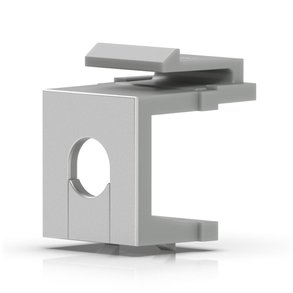
Ubiquiti Keystone Blank Insert Pass-Through 12-Pack (UACC-KEYSTONE-BLANK-INSERT-TH)
- 12 inserts
- Keystone blank insert
- 0.06 kg
£24.99 inc VAT
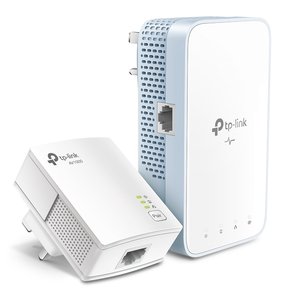
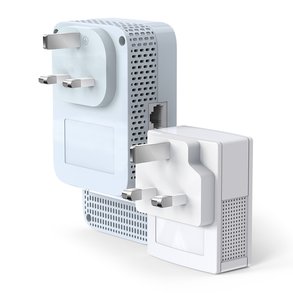
SKU NE-TL-WPA7517-KIT · MPN TL-WPA7517-KIT
In stock, ships in 1 working day
AV1000 powerline Wi-Fi kit with dual-band 802.11ac Wi-Fi, a Gigabit Ethernet port and an app for managing the powerline network from your phone.
Buying for a hotel or business? Request a bulk quote
| Powerline standard | AV1000, HomePlug AV2 |
|---|---|
| Wi-Fi | 802.11ac dual-band |
| Wi-Fi speeds | 300 Mbps (2.4 GHz), 867 Mbps (5 GHz) |
| Ethernet ports | 1 x Gigabit |
| Rated throughput | 1000 Mbps |
| Range | Up to 300 m over the mains |
| Weight | 0.7 kg |
The TP-Link TL-WPA7517-KIT is an AV1000 powerline kit with 802.11ac Wi-Fi. It extends a wired and wireless network through the mains wiring in your building, so a room that gets a poor signal from the router can have a fast, stable connection through the powerline link.
The Wi-Fi runs as a dual-band network, with simultaneous speeds of 300 Mbps on 2.4 GHz and 867 Mbps on 5 GHz, which helps reduce interference from other networks. Each adapter also has one Gigabit Ethernet port for a console, smart TV or set-top box, and a switch can be added if you need more wired ports.
One-Touch Wi-Fi Configuration copies your network name and password from the router, so the network is ready without manual entry. The tpPLC app on Android and iOS lets you check real-time powerline speed, create a guest network and control the LEDs, and a PC utility is also available.
Choose this kit when you want both wired and Wi-Fi coverage in a distant room and prefer to manage the network from a phone. For other powerline options, see our powerline adapters range, and ask GGG Technologies if you would like the setup planned for your site.
Yes. The product details say two Ethernet cables are included in the box.
Yes. The tpPLC app on Android and iOS lets you view powerline speed, set up a guest network and control the LEDs.
The adapters copy your router's Wi-Fi name and password when you use the One-Touch button. Check your router's compatibility with the manufacturer if you have an unusual setup.