Ubiquiti
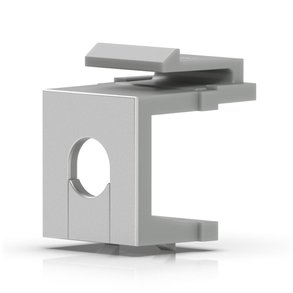
Ubiquiti Keystone Blank Insert Pass-Through 12-Pack (UACC-KEYSTONE-BLANK-INSERT-TH)
- 12 inserts
- Keystone blank insert
- 0.06 kg
£24.99 inc VAT
SKU NE-TL-WPA4220TKIT · MPN TL-WPA4220TKIT
In stock, ships in 1 working day
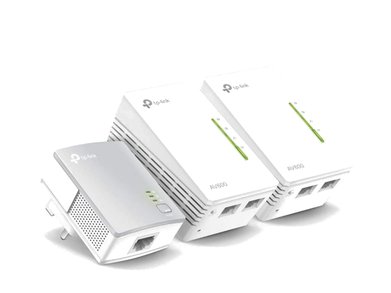
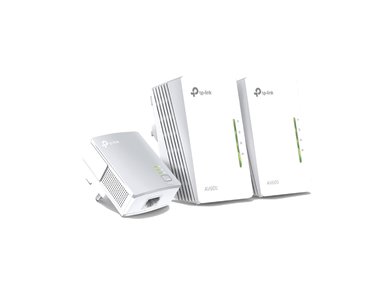
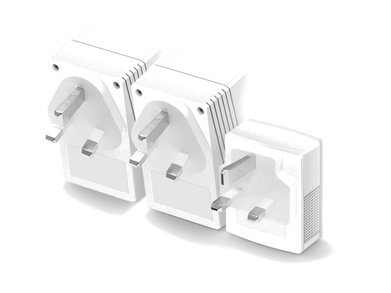
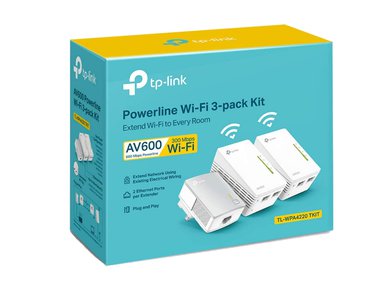
AV600 Wi-Fi powerline extender kit with two Ethernet ports and a Wi-Fi clone button that copies your existing network name and password.
Buying for a hotel or business? Request a bulk quote
| Ethernet ports | 2 |
|---|---|
| Rated throughput | 600 Mbps |
| Wi-Fi speed | 300 Mbps |
| Wi-Fi extender | Yes |
| Pass-through socket | No |
| Weight | 0.648 kg |
The TP-Link TL-WPA4220TKIT extends your network through the electrical wiring in your home or office, so Wi-Fi and wired connections can reach rooms that are weak or dead spots for the router. It is rated AV600 and provides two Ethernet ports, which is useful for a TV and a games console in the same room.
The Wi-Fi clone button copies the network name and password from your router, so the extender joins your network without you re-entering settings. Existing Wi-Fi settings are then kept in step with the extender, which helps devices roam between the router and the extended area.
Connect the base adapter to the router with an Ethernet cable and plug it into a wall socket. Plug the Wi-Fi extender into a socket elsewhere in the building and pair the two units using the pair button. Both outlets must be on the same electrical circuit for the units to pair.
Choose this kit when a room has poor Wi-Fi and you can run power sockets and a single cable to the router area. For other powerline options with and without Wi-Fi, browse our powerline adapters range, or contact GGG Technologies if you want the network surveyed and set up for you.
Yes. The two Ethernet ports can be used for wired devices, and the Wi-Fi feature can be left unused if you do not need it.
Yes. The product details state that the two outlets must be on the same circuit in order to pair.
Connect the base adapter to the router with an Ethernet cable, then pair it with the extender using the pair buttons.