TP-Link
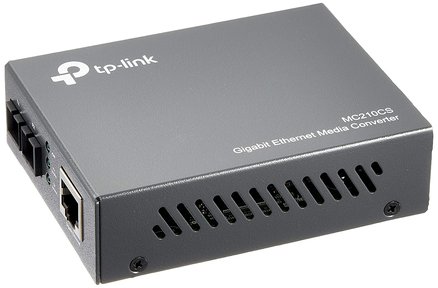
TP-Link Gigabit Single-Mode Media Converter (MC210CS)
- TP-Link
- Media converter
- Single-mode
£40.99 inc VAT
SKU NE-TL-SG105E · MPN TL-SG105E
In stock, ships in 1 working day
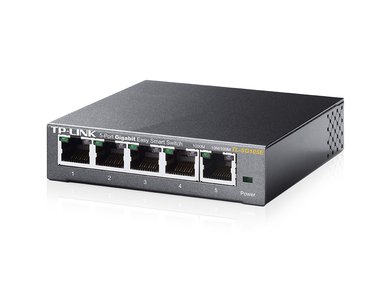
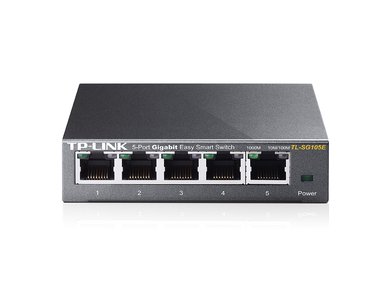
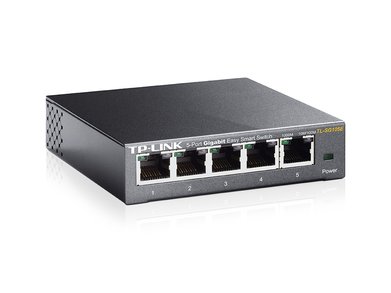
Compact five-port Gigabit switch with auto MDI/MDI-X on every port, LED status lights and rack or desktop mounting, for tidy small-site cabinets.
Buying for a hotel or business? Request a bulk quote
| Ports | 5 x Gigabit RJ45 |
|---|---|
| Management | Unmanaged |
| Mounting | Desktop or rack |
| Status indicators | LED |
| Packed weight | 0.45 kg |
| Packed dimensions (mm) | 125 x 130 x 90 |
The TP-Link TL-SG105E is a compact five-port Gigabit switch for desks, small cabinets and communal spaces. It is easy to use, needs no crossover cables and gives you clear LED status lights, so you can see at a glance whether each link is working.
Auto MDI/MDI-X works on all five ports, so any cable can be used for any connection. Auto-negotiation senses the speed of each connected device and adjusts to 10, 100 or 1000 Mbps for the best compatibility.
The compact body suits a desk with limited space, and the unit can also be rack mounted. LED indicators show real-time status and provide basic fault diagnosis, which helps when you are checking a site without specialist tools.
Choose the TL-SG105E for a small, unmanaged Gigabit switch that fits a desk or rack shelf. For more options, see our network switches. GGG Technologies can advise on the best layout for your premises.
No. Auto MDI/MDI-X on every port means standard cables work.
Yes, according to the product description, it is rack-mountable as well as suited to a desk.
No. It is an unmanaged switch, so there is nothing to configure.