Ubiquiti
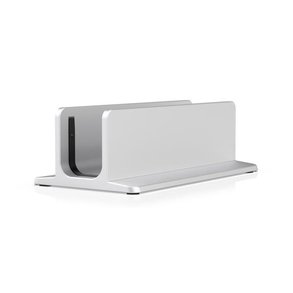
Ubiquiti Cloud Key Stand (UACC-CKG2-PLUS-STAND)
- Cloud Key controller
- Stand
- 1.214 kg
£28.99 inc VAT
SKU NE-MC210CS · MPN MC210CS
In stock, ships in 1 working day
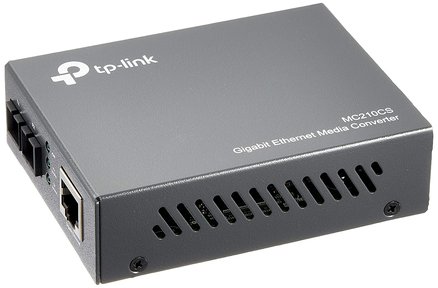
A gigabit single-mode media converter from TP-Link, for joining a copper Ethernet link to a single-mode fibre route across a site.
Buying for a hotel or business? Request a bulk quote
| Brand | TP-Link |
|---|---|
| Type | Media converter |
| Fibre type | Single-mode |
| Speed | Gigabit |
| Weight | 0.046 kg |
| Box size | 74 x 104 x 20 mm |
The TP-Link MC210CS is a gigabit media converter for single-mode fibre. It joins a copper Ethernet link to a single-mode fibre link, which is useful when a switch or device sits at one end of a building or campus and a fibre route is the most practical way to reach it.
Media converters are used where a network must cross a distance that copper cannot cover reliably, or where a device has only a copper port and the rest of the site is cabled in fibre. Place the converter where the copper segment begins, and keep its power supply within reach.
Single-mode fibre carries signals over longer distances than multi-mode, so this converter suits links between buildings, floors or remote cabinets. Check the fibre type and the module on the other end before ordering, so that both sides of the link match.
Keep the converter ventilated and out of direct sunlight, and avoid stacking it on other equipment. Use good quality copper and fibre leads, and confirm the link speed after installation. Clean the fibre connectors before fitting, as dust is a common cause of weak optical signals.
If you need a gigabit copper-to-single-mode fibre converter for a link across a site, this unit is a sensible choice. Browse other fibre parts in our networking accessories range. GGG Technologies can survey your route and recommend the right converter and fibre for your building.
Yes, the name states it is a gigabit single-mode media converter.
No. Use single-mode fibre leads at the fibre end of the link.
Single-mode suits longer routes, but check the datasheet for the maximum distance rather than relying on this page.