MikroTik
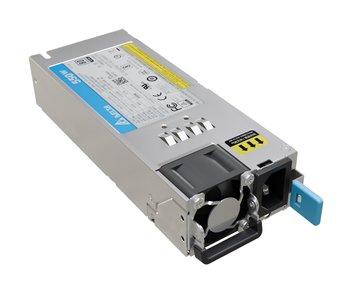
MikroTik Hot Swap PSU for Rose Data Server RDS2216 12V 550W (DPS-550AB-36G)
- Hot-swap PSU
- DPS-550AB-36G
- 12V, 550W total
£121.99 inc VAT

SKU NE-MIKROTIK-PSU-P · MPN MIKROTIK-PSU-P
In stock, ships in 1 working day
A 24V, 1.2A, 28W power supply with a shorter plug, for powering compatible MikroTik devices from a mains socket. Suits tight spaces.
Buying for a hotel or business? Request a bulk quote
| Output voltage | 24V |
|---|---|
| Output current | 1.2A |
| Output power | 28W |
| Plug | Shorter plug |
| Weight | 0.136 kg |
| Box size | 200 x 70 x 45 mm |
This MikroTik power supply provides 24V at 1.2A, a maximum output of 28W. It is a spare or replacement unit for compatible MikroTik devices that run on 24V, and the shorter plug suits installations where the cable must sit neatly in a rack or a tight cabinet.
Before fitting, check that the output voltage and wattage match what your device requires. Using a supply that is too weak can cause unstable operation, so confirm the device datasheet before you order.
The shorter plug reduces the amount of cable hanging behind equipment, which helps when space is limited. A tidy power feed also makes it easier to trace faults and to keep the cabinet cool with good airflow.
Keep the power supply in a ventilated position, away from heat sources, and secure the cable so it is not pulled on at the connector. Store spare supplies in a dry place until they are needed.
If you need a 24V, 28W supply for a compatible MikroTik device, this unit is a straightforward choice. Browse the rest of our networking accessories to find other power and cabling parts. GGG Technologies can advise on power requirements for a new installation.
It gives 24V at 1.2A, up to 28W.
No. The white unit is rated 24V 1.5A 36W, so check the rating before swapping one for the other.
Check the voltage and power requirement in the device datasheet. If in doubt, ask us to confirm.