TP-Link
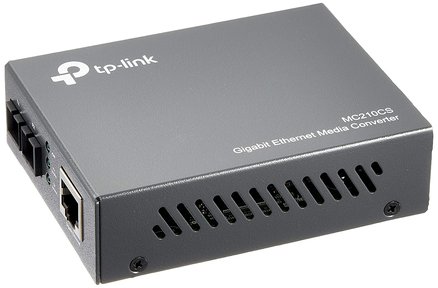
TP-Link Gigabit Single-Mode Media Converter (MC210CS)
- TP-Link
- Media converter
- Single-mode
£40.99 inc VAT
SKU NE-VSG1282-K · MPN VSG1282-K
In stock, ships in 1 working day
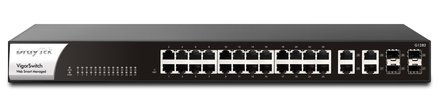
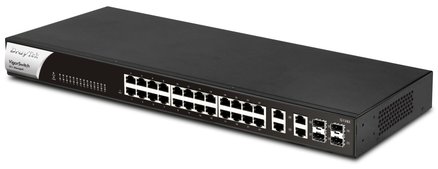
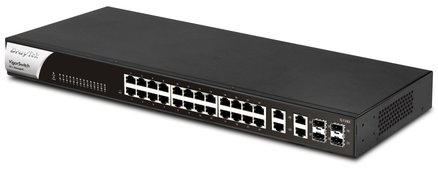
Twenty-four port smart managed Gigabit switch with four SFP ports, managed centrally through a DrayTek router, VigorConnect or VigorACS.
Buying for a hotel or business? Request a bulk quote
| Ports | 24 x RJ45 Gigabit, 4 x SFP |
|---|---|
| Management | Smart managed: VigorACS (licence sold separately), VigorConnect, DrayTek router |
| Packed weight | 3.372 kg |
| Packed dimensions (mm) | 500 x 300 x 75 |
The DrayTek VigorSwitch G1282 is a 24-port smart managed Gigabit switch with four SFP ports for uplinks. It is designed for businesses that run a DrayTek network and want to provision and monitor their switches from one place.
The switch can be managed through the VigorACS platform, which needs a licence sold separately. Smaller sites can use the free VigorConnect single-site system, or the central switch management built into a compatible DrayTek Vigor router.
VLAN settings can be provisioned through the router, and switch configurations can be cloned from one unit to another. That reduces set-up time for complex networks and keeps configuration consistent across multiple sites.
Choose the VSG1282 if you want managed switching with central control inside a DrayTek network. For other options, see our network switches. GGG Technologies can design the VLAN plan and set up central management for you.
VigorACS requires a licence, sold separately. VigorConnect for a single site is free, according to the product data.
Four SFP ports for uplinks.
Yes. The product data says switch configurations can be cloned.