Jabra
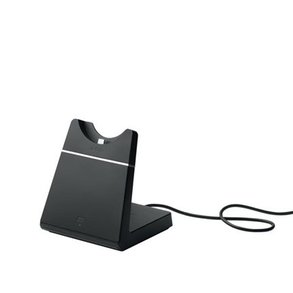
Jabra Evolve 65 Charging Stand
- Evolve 65 MS mono, MS stereo, UC mono, UC stereo
- Charging stand
- 1 kg
£97.99 inc VAT
SKU NE-UH34-MONO-TEAMS · MPN UH34-MONO-TEAMS
In stock, ships in 1 working day
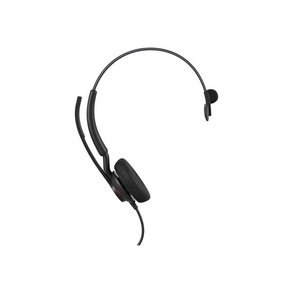
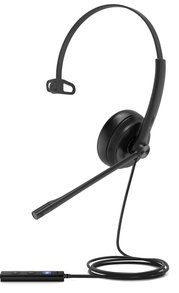
Mono USB headset for Microsoft Teams with plug-and-play setup, soft ear cushions and a built-in handheld call controller.
Buying for a hotel or business? Request a bulk quote
| Wearing style | Mono, single ear |
|---|---|
| Connection | USB |
| Compatibility | Microsoft Teams and Yealink deskphones |
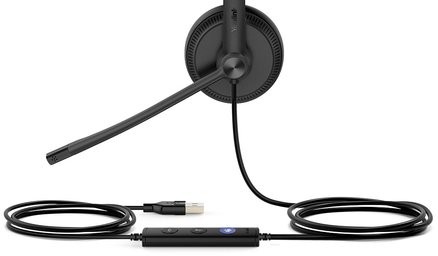
| Call controls | Built-in handheld controller |
| Weight | 0.8 kg |
The Yealink UH34 Mono is a single-ear USB headset for unified communications work, set up for Microsoft Teams. It is designed for plug-and-play use, so a member of staff can connect it to a computer and start taking calls straight away.
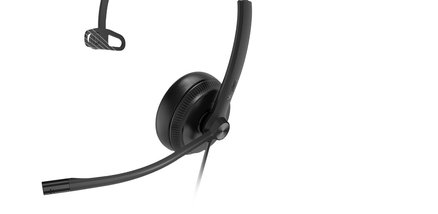
Soft ear cushions help the headset sit comfortably during the working day, and the audio is tuned for clear speech in both directions. Because it is a mono design, one ear stays free to hear the room, which many people prefer for busy offices and front-desk roles.
A handheld call controller on the cable lets you manage calls with a button press, including answering, ending and muting. You can use the same headset with compatible Yealink deskphones, so one headset can cover more than one device on the desk.
Choose the UH34 Mono for Teams if you need a wired headset that is simple to connect and works across a computer and a Yealink deskphone. If you want a second ear or a wireless option, see our headsets range. GGG Technologies can help you confirm the best fit for your set-up.
Yes, this version is set up for Microsoft Teams calls.
Yes, the headset is compatible with Yealink deskphones. Check the manufacturer datasheet for the full list of supported models.
Setup is designed to be plug-and-play. For any software or driver details, check the manufacturer datasheet.