Shelly
Shelly Plus Uni Smart WiFi Operated Module for Low-Voltage Applications
- Digital and analogue
- Yes
- WiFi
£13.99 inc VAT
SKU NE-GSC3516 · MPN GSC3516
In stock, ships in 1 working day
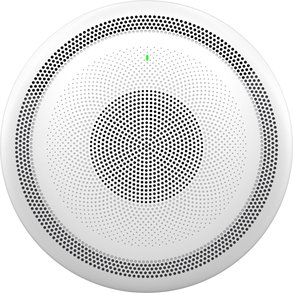
A SIP intercom speaker with a 15W HD speaker, three directional microphones, a 4.2 metre pickup range and dual-band Wi-Fi for two-way voice.
Buying for a hotel or business? Request a bulk quote
| Speaker | 15W HD |
|---|---|
| Pickup distance | 4.2 metres |
| Microphones | 3 directional plus 1 auxiliary |
| Connectivity | Dual-band Wi-Fi, Bluetooth peripherals |
| Protocol | SIP |
| Weight | 1.668 kg |
The Grandstream GSC3516 is a robust SIP intercom speaker that provides two-way voice communication. It combines a 15W HD speaker with a microphone array, so clear voice can be heard and picked up across a room, which suits reception desks, warehouses and office areas.
Three directional microphones and one omnidirectional auxiliary microphone give a pickup distance of 4.2 metres, and acoustic echo cancellation helps keep conversations clear. The high-fidelity speaker is designed to be heard across larger rooms.
The unit has integrated dual-band Wi-Fi and can connect to Bluetooth peripherals. Built-in whitelists, blacklists and greylists let you control which calls are accepted, which helps reduce unwanted contact at a busy entrance.
The GSC3516 pairs with other Grandstream products, including desktop and cordless IP phones and the GDS range of facility access devices, so a single supplier can cover voice and access in one system. Check the compatibility of each device before ordering.
Choose this speaker if you need a SIP intercom for reception, warehouse or office areas, with clear two-way voice and call filtering. For door entry and access accessories, browse our smart home accessories. GGG Technologies can specify and install intercom systems for hotels and offices.
The microphone array has a pickup distance of 4.2 metres.
Yes, it has integrated dual-band Wi-Fi.
Yes. Built-in whitelists, blacklists and greylists help control which calls are accepted. Check the configuration guide for setup.