Ubiquiti
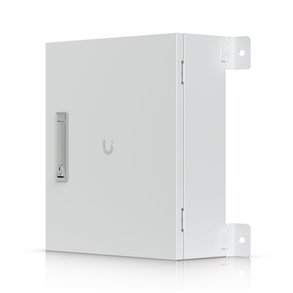
Ubiquiti UACC-JUNCTION-UTILITY UniFi Outdoor Enclosure
- Outdoor enclosure
- 3.6 kg
- 110 x 100 x 275 mm
£125.99 inc VAT
SKU NE-CAT5-025-U-UTP-BLACK · MPN CAT5-025-U-UTP-BLACK
In stock, ships in 1 working day
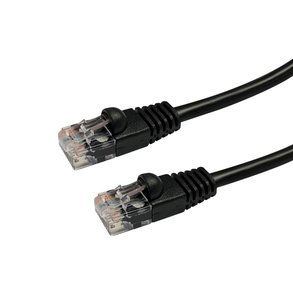
A 0.25m black Category 5 straight-through patch lead for very short connections between a switch, patch panel or device.
Buying for a hotel or business? Request a bulk quote
| Category | Cat5 |
|---|---|
| Length | 0.25m |
| Colour | Black |
| Wiring | Straight through |
| Weight | 0.08 kg |
This is a 0.25m Category 5 Ethernet patch cable in black, wired straight through. It is one of the shortest leads in our range, made for connections inside a cabinet or between two devices that sit right next to each other.
In a rack, a very short lead keeps cable slack to a minimum. It is handy for linking a switch to a patch panel, or a router to a neighbouring device, without creating loops that block airflow or get in the way of other equipment.
Category 5 suits simple, low-demand connections. For new Gigabit installations, Category 6 is the stronger option because its specifications for crosstalk and system noise are stricter. Choose the category that matches the speed you need.
This short lead is a practical choice for a basic link inside a cabinet or behind a desk. For longer or faster connections, see our ethernet cables range, or ask us for help with cabling a site.
No. It is a straight-through cable, the standard type for connecting a device to a switch, router or patch panel.
It is only suitable where the devices sit very close together. Measure the route before ordering and choose a longer lead if needed.
For Gigabit links, Category 6 is the better choice. Check the speed requirements of your equipment in its datasheet.